


Beauty Camera - Selfie Camera
4.564.00 Reviews
App Specs
- Version
- 1.4.1
- Updated On
- License
- Free
- Downloads
- 10,000,000+
- Developer
- Coocent
- Categories
- Beauty
- Platform
- Android, iOS
Screenshots
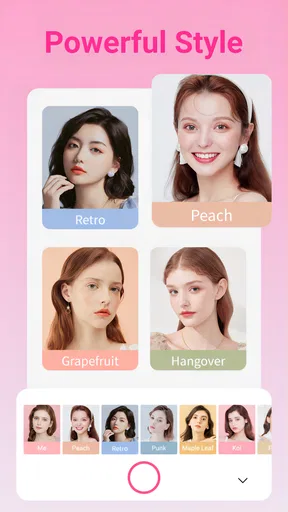
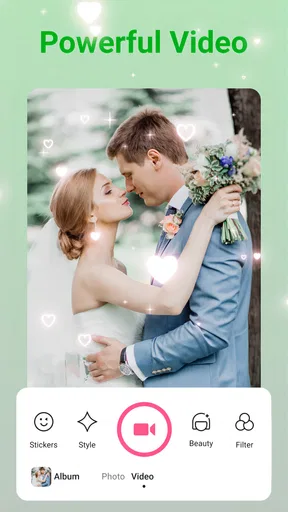
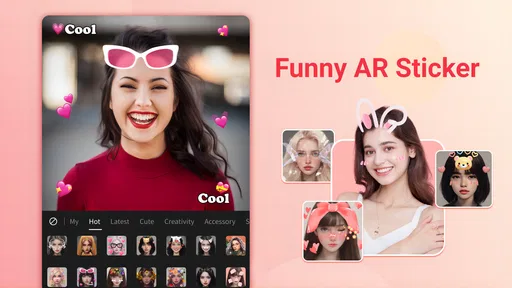
 Analysis by AppCompare
I judge a selfie camera less by how many effects it can stack on a face and more by whether I can get a photo I still like after the novelty wears off. Beauty Camera - Selfie Camera is built around making that quick portrait feel more finished, with makeup-style touches, filters, and stickers in one place. That combination suits casual photos, but the useful question is how much control you want before a result feels like you.
A quick camera for a more polished selfie
The appeal here is convenience: rather than taking a plain picture and moving between several editing apps, I can use a beauty-focused camera and add a visual style in the same general workflow. Coocent’s app is free to install, is rated for Everyone, and has a 4.6 average from around 12,000 ratings. It has passed 5 million installs, which suggests this kind of quick portrait editing has a broad audience, though popularity alone can’t tell you whether its look will suit your taste.
Makeup effects and filters are most helpful when the goal is a small lift rather than a complete makeover. For a profile photo or a quick picture before heading out, a light touch can make the image feel intentional without requiring a separate editing session. I’d start with the least noticeable effect and compare the result with the unedited image; if the edit is the first thing you notice, it may already be doing too much.
How I’d use it in an ordinary moment
Imagine a friend sends a message asking for a quick selfie before you meet. You have a minute, the light by the window is decent, and you don’t want to spend the next ten minutes adjusting a portrait. A beauty camera is useful in that moment because it puts capture and playful finishing touches close together. I’d take a couple of frames, choose the one with the most natural expression, then try a subtle look before deciding whether a sticker or text actually adds anything.
That order matters more than it sounds. A filter can make a dim or awkwardly framed picture feel more dramatic, but it won’t fix a distracting background or a camera angle you dislike. I’d move toward the light, keep the phone at a comfortable height, and frame the shot before experimenting with effects. This makes the editing stage a finishing step, not a way to rescue a photo that needed a different setup.
What to expect from the editing style
The app’s focus is clearly on beauty-oriented selfies, not on replacing a full photo editor for every kind of picture. That focus can make it easier to get a playful portrait without learning a complicated editing workflow. It also means I would not choose it first for careful color correction, detailed retouching across a batch of photos, or a project where every image needs to match precisely. A general-purpose editor is a better fit when those controls matter more than quick effects.
There is also a taste trade-off with any automatic or beauty-led treatment: what looks flattering on one face, screen, or lighting setup can look artificial in another. I’d check the photo at its normal viewing size rather than judging only from a close-up preview. If you’re preparing an image for a work profile or an application, keeping the edit restrained is especially sensible; the point should be to present yourself clearly, not to create a look that no longer feels like your own.
Worth Reading Before You Choose

Baby Panda World Brings Quick Play to Modern Phones, but Its Game Library Feels Busy

ESPN’s Live Game View Makes Following Close Games Easier

QuizzLand Review: A Good Fit for Short Trivia Breaks, Not Every Player

Basketball Stars: Multiplayer Is Fast, but Can It Recover When Matches Go Wrong?

WEBTOON Turns Phone Updates Into a Better Reading Routine

Link to Windows Runs on Shared Habits, Not Social Feeds
Who is likely to enjoy it
I can see this working best for people who take informal selfies, like trying different moods, and want camera, makeup-style effects, filters, and stickers gathered around that purpose. It is also a reasonable option if you rarely edit pictures and would rather make a quick choice than learn a large set of manual controls. The app is currently at version 1.4.1 and supports Android 8.0 or later, so it is aimed at Android users whose devices meet that requirement.
On the other hand, I’d skip a beauty-first camera if you mainly want unprocessed photos, precise manual adjustments, or a consistent editing recipe you can apply across a large collection. Your phone’s built-in camera may be the simpler choice for a natural capture, while a dedicated editor can offer a more deliberate process afterward. Those alternatives are not automatically better; they just put different priorities first.
First Impressions
From the get-go, the Beauty Camera - Selfie Camera impresses with its sleek design. The interface is super user-friendly. You don't need a tech degree to navigate through its features. Once you fire it up, you're welcomed with a clean layout that’s both inviting and straightforward. It’s like having a mini photography studio right in your pocket.
Features Galore
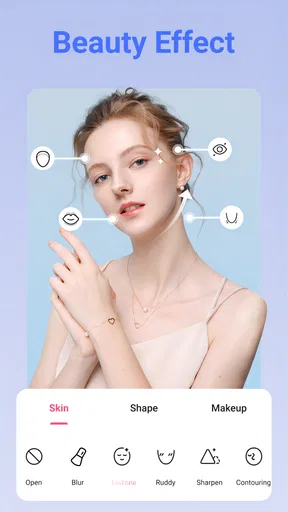
Now, let’s dive into the features, because this is where it gets exciting. The app offers a ton of editing tools, and honestly, it feels like a treasure trove for anyone who loves taking selfies. From basic enhancements like brightness and contrast adjustments to more advanced features such as skin smoothing and blemish removal, it’s got it all. And the best part? It doesn’t overdo it. Your photos end up looking natural, like you’ve just stepped out of a spa, rather than a Photoshop disaster.
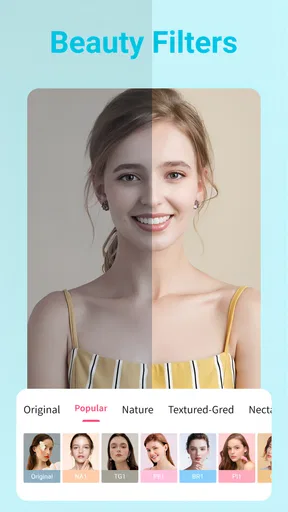
If you’re into playing around with filters, you’re in for a treat. With an abundance of filters available, ranging from subtle enhancements to dramatic transformations, you can easily match the vibe you’re going for. Whether you’re feeling vintage, modern, or anything in between, there’s a filter for it. Plus, the app lets you layer filters, offering a customized touch to your snaps.
Selfie Mode and More
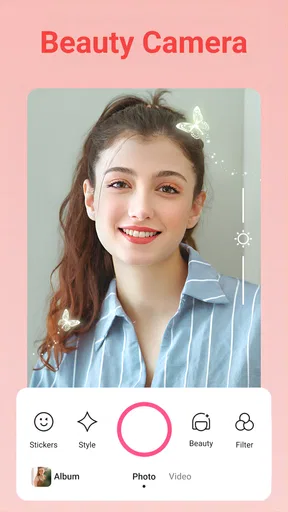
Let’s talk about the selfie mode — because let’s face it, that’s why we’re here. The camera feature is incredibly responsive, and the auto-retouch functionality is a lifesaver for those "I just woke up like this" moments. It’s perfect for on-the-go selfie sessions, where you want to look your best without spending ages editing.
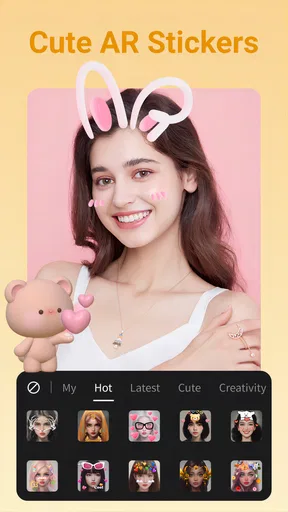
Additionally, the app includes a fun array of stickers and text options. It’s like having a mini graphic design tool at your fingertips. You can spice up your photos with quirky stickers or add a personal touch with some cool typography. It’s all about letting your personality shine through.
Sharing Made Easy
Once you’ve crafted the perfect selfie, sharing it is a breeze. The app integrates seamlessly with popular social media platforms, making it super easy to post your creations. You can share directly to Instagram, Facebook, Snapchat, or save it to your device for later. The quick-share options mean your freshly edited masterpiece can be out in the world in just a few taps.
A few choices that make the workflow better
For a more believable result, I’d treat stickers and text as the final decision, not the starting point. First settle on the expression and framing, then decide whether the portrait needs a beauty effect, a filter, or neither. Adding several kinds of decoration at once can make it harder to tell which change improved the photo, and a clean image often works better as a profile picture than one crowded with graphic elements.
Layering filters gives you room to experiment, but it also makes restraint useful. I’d try one filter, look at the skin and background together, and only add another if it solves a specific problem with the mood. A filter that makes a bright room feel warm might also push skin tones too far; checking the full frame helps catch that. Keeping an unedited version, when your workflow allows it, is a practical way to compare rather than relying on memory.
Stickers and text make more sense for informal posts, invitations, or a lighthearted message to friends than for a portrait meant to look straightforward. Before sharing, I’d check whether the text is readable against the background and whether the sticker hides anything important. Those small checks are easy to skip when a quick-share button is right there, but they help the finished image feel deliberate instead of rushed.
Where it sits among selfie apps
Compared with using only the phone’s standard camera, a beauty-focused app brings the styling decision closer to the moment you take the picture. That is convenient when you already know you want a polished or playful selfie. The built-in camera remains the better starting point if your main goal is a plain, dependable image and you want to decide about editing later. Neither approach wins in every situation: the right choice depends on whether speed or a more neutral capture matters more to you.
Compared with a broad photo editor, this app’s appeal is its selfie-centered purpose. A general editor may be preferable when you want to adjust a landscape, tune colors carefully, or apply the same treatment to many images. For a single casual portrait, opening a larger editor can feel like more work than the result deserves. I’d keep a beauty camera for quick personal photos and reach for a more flexible tool when the image has a specific visual job to do.
Small points worth checking before sharing
Because the app offers in-app purchases ranging from $0.29 to $49.99 per item, I’d pay attention to any optional purchase prompt and decide whether a feature is actually worth adding to my routine. The app itself is free, so there is no need to treat a purchase as part of the basic decision to try it. If you only want occasional selfies, it makes sense to explore the experience first and spend nothing unless you find a clear reason.
Sharing directly can save a few steps, while saving the result for later gives you a moment to review it before it goes out. I prefer the second route when the photo is for a public profile or a wider audience: seeing it again outside the editing moment can reveal an effect that felt stronger than intended. For a casual group chat, quick sharing is more convenient; for anything more considered, a brief pause is a useful quality check.
Who should choose another approach
If you want to document a moment exactly as it looked, a beauty effect may pull the image away from that purpose. I’d use a regular camera for family records, travel details, or situations where color and appearance should stay close to what I saw. Likewise, anyone who finds filters distracting may be happier with a simpler camera interface and an editor used only when there is a particular correction to make.
It is also worth thinking about the audience. A playful sticker can be perfect for friends but out of place in a professional headshot; a strong beauty treatment can suit a themed post while feeling excessive on an everyday profile. The useful question is not whether the app can make a photo more polished, but whether that polish fits where the picture will appear. I’d choose the destination first, then edit to match it.
The Verdict
So, is the Beauty Camera - Selfie Camera the ultimate selfie app? In my opinion, absolutely. It strikes a perfect balance between functionality and fun, making it a must-have for selfie enthusiasts. Whether you’re a seasoned selfie pro or just looking to up your photo game, this app is worth the download. It’s like having a beauty guru in your pocket, ready to glam you up at any moment.
In conclusion, if you’re on the hunt for an app that delivers stunning selfies with minimal effort, the Beauty Camera - Selfie Camera should definitely be on your radar. It’s not just another camera app; it’s an experience that turns everyday moments into share-worthy memories. Give it a try, and you might just find yourself falling in love with your camera all over again.
My final recommendation
For me, the strongest reason to try it is the focused, low-effort route from taking a selfie to giving it a chosen look. Coocent’s beauty app has an average rating of 4.6 from around 12,000 ratings, and its Everyone age rating makes it suitable for a broad audience. Those details help set expectations, but your own preference for subtle edits, playful decoration, or untouched photos should decide whether it stays on your phone.
I’d start with one ordinary selfie in good light and make only one change at a time. If that small experiment leaves you with a picture that still feels like you, the app is doing the job I’d want from a quick selfie tool. If you find yourself undoing effects or wishing for detailed control, use the standard camera or a more comprehensive editor instead. That is the clearest way to tell whether its convenience is worth keeping in your everyday photo routine.
Pros
- User-friendly interface for easy navigation.
- Wide variety of filters and effects.
- Real-time editing with live preview.
- High-quality photo output.
- Efficient performance with minimal lag.
Cons
- In-app ads can be intrusive.
- Limited features in the free version.
- Occasional crashes on older devices.
- Some filters require additional purchases.
- Privacy concerns with data permissions.
FAQs for Beauty Camera - Selfie Camera
What features does the Beauty Camera - Selfie Camera offer?
Beauty Camera - Selfie Camera offers a wide range of features including real-time beautification filters, makeup options, skin smoothing tools, and various effects to enhance your selfies. The app also provides editing tools for adjusting brightness, contrast, and saturation, allowing you to customize your photos to perfection.
Is the Beauty Camera - Selfie Camera app free to use?
Yes, the Beauty Camera - Selfie Camera app is free to download and use. However, it offers in-app purchases for additional features and filters. While the basic functions are accessible without any cost, premium content may require a subscription or one-time purchase.
Does the app require an internet connection to function?
The core features of the Beauty Camera - Selfie Camera app can be used offline, including taking and editing selfies. However, an internet connection is required for downloading additional filters and updates. Some features, like cloud storage or sharing on social media, will also need internet access.
How does the app ensure user privacy and data security?
Beauty Camera - Selfie Camera prioritizes user privacy by adhering to strict data protection protocols. The app does not store photos without user consent and ensures that any data collected is used solely for improving user experience. Always review the app's privacy policy for detailed information on data handling practices.
Can the app be used on both Android and iOS devices?
Yes, Beauty Camera - Selfie Camera is available for both Android and iOS platforms. Users can download the app from Google Play Store for Android devices and the Apple App Store for iOS devices. Ensure your device meets the minimum system requirements for optimal performance.


